Muushig · Android test
Google Play needs 12 testers opted in for 14 days in a row before the app can ship. Two steps, one minute.
Join the group
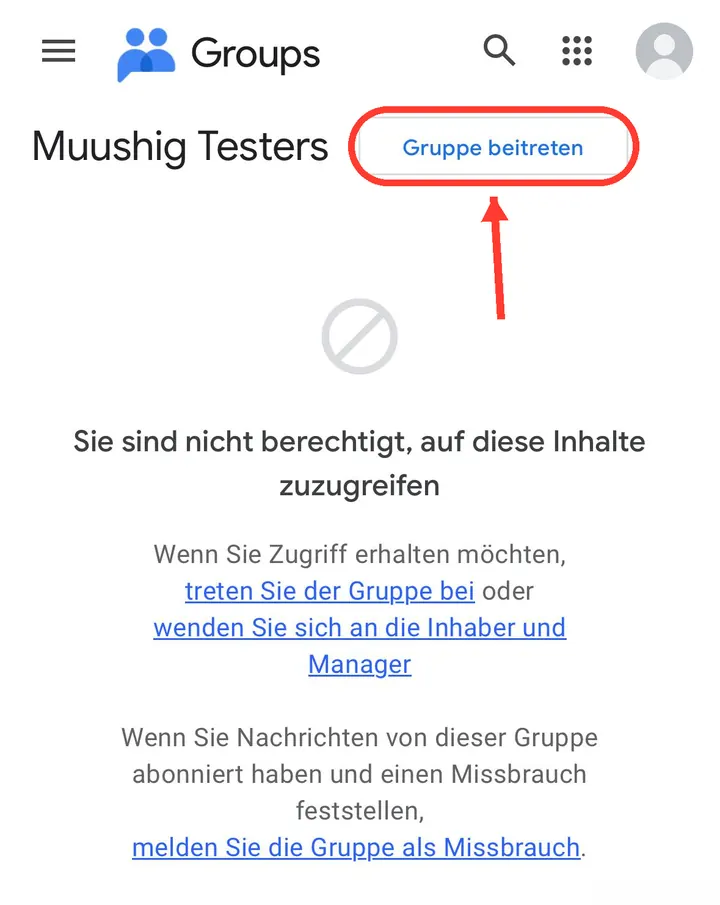
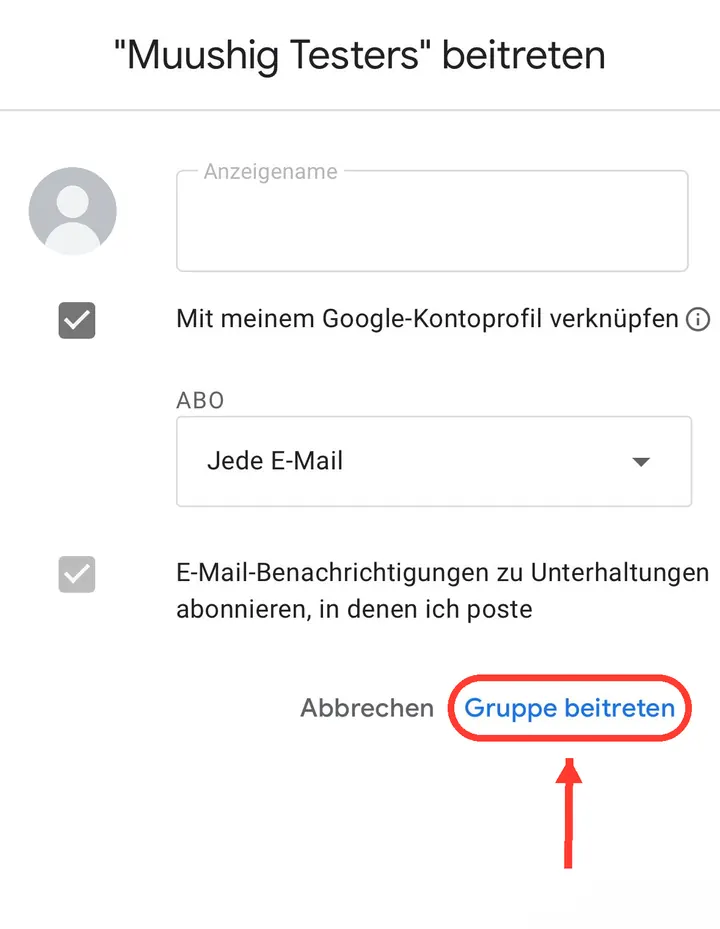
Open it and tap Join group. A Google account is required.
Join the Google GroupGoogle’s page may be in another language — the button always means Join group. Before you join, a “You don’t have permission to access this content” message is normal.
Become a tester
With the same account, open this and tap Become a tester.
Opt in to the testInstall from Google Play
After opting in, the same page shows a Download it on Google Play link. Install from there.
Keep it installed for 14 days
All that is really needed is that you do not uninstall it for 14 days. Opening it now and then helps more — the online tables are better with people in them. After the 14 days you can delete it if you want.
If something goes wrong
- “Content unavailable” — you are signed out, or signed into a different Google account. Sign in with the right one.
- “App not available” — you have not joined the group yet, or the membership has not reached Google Play yet. Wait a few minutes and try again.
- Android only. This test does not work on iPhone; use the App Store link below.
Google Play shows these messages in your own language, so the wording on your phone may differ.
About the app
- Mongolian only. The app is not available in any other language, and I would rather say so than pretend otherwise.
- Offline practice against four bots. No connection needed.
- Online with no sign-up. Type a name and play — no password, no email.
- Emotes and short messages at the table, with reporting and blocking.
- No ads, no purchases, no trackers. INTERNET is the only permission.